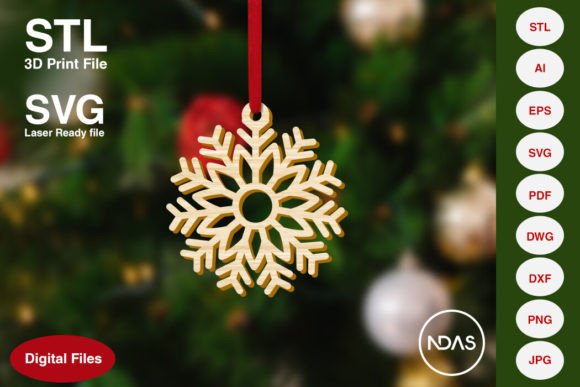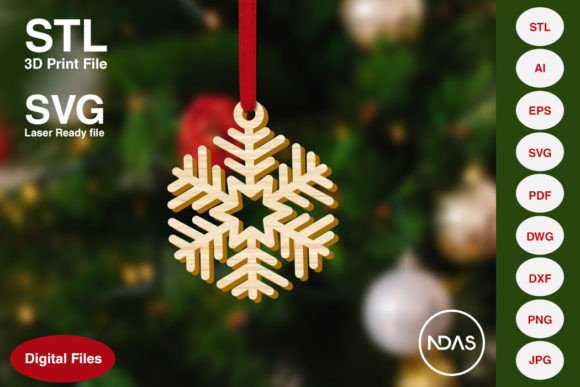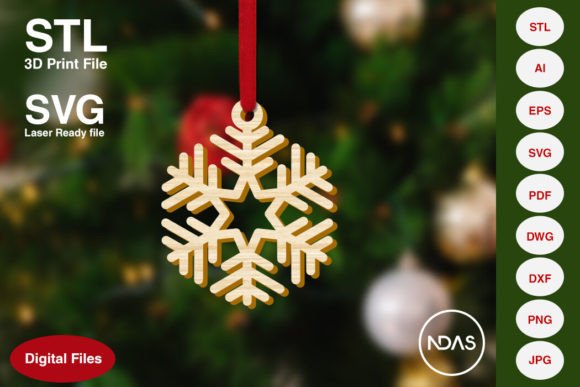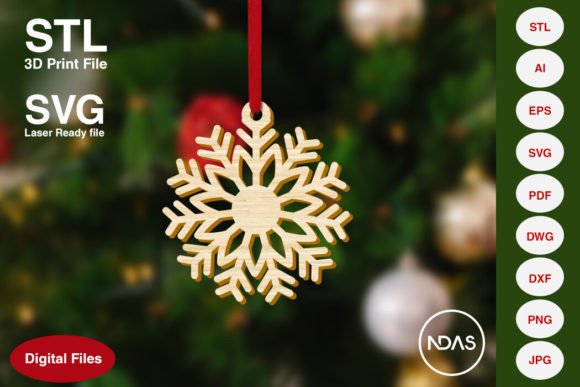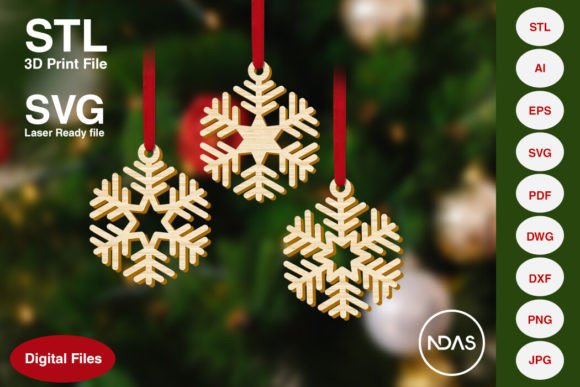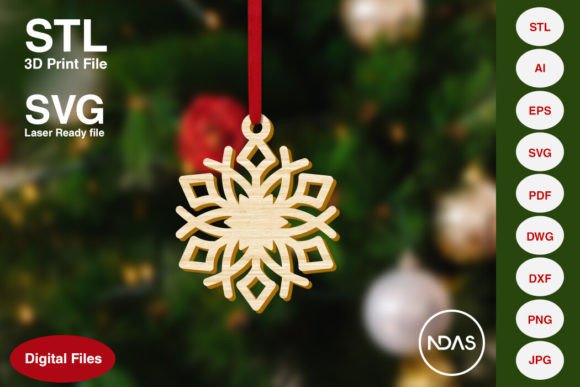
Snowflake Christmas Tree Ornament 7a Design Files
The Snowflake Christmas Tree Ornament 7a represents a versatile digital asset designed for makers, small business owners, and holiday enthusiasts who value precision and adaptability. Unlike generic clip art, this specific design balances intricate geometric detail with structural integrity, making it suitable for both delicate paper crafts and durable architectural signage. The visual personality of Ornament 7a leans toward modern elegance; it avoids the overly rustic or cartoonish aesthetic often associated with holiday decor, opting instead for clean lines and symmetrical balance that appeals to contemporary tastes. This makes it an excellent choice for creators looking to produce items that feel premium and intentional rather than mass-produced.
For designers and marketers, the true value lies in the comprehensive file ecosystem included with this asset. Access to STL, AI, SVG, EPS, PDF, DXF, DWG, PNG, and JPG formats transforms a single ornament concept into a multi-platform design tool. Whether you are prototyping a new product line using 3D printing or fulfilling custom laser-cut orders for corporate gifts, having native vector and mesh files eliminates the need for redrawing or tracing. This compatibility ensures that the Snowflake Christmas Tree Ornament 7a maintains its crisp edges and intended proportions across every medium, from high-resolution print materials to physical fabrication.
Optimizing Fabrication Across Digital and Physical Media
The technical specifications of this ornament have been calibrated for real-world manufacturing constraints. With default 2D dimensions of approximately 3.65 x 4.5 inches and a 3D thickness of 0.25 inches, the design sits in a sweet spot for standard material sheets and printer beds. However, the inclusion of scalable vector formats like SVG, DXF, and AI allows for significant flexibility without quality loss. For Cricut and Silhouette users working with cardstock or vinyl, the design can be scaled down to 2 inches for gift tags or up to 8 inches for window clings while retaining sharp corners. Conversely, CNC operators can scale the DXF or DWG files to create large-format plywood installations for retail displays or event backdrops.
Material selection plays a critical role in how the final piece is perceived, and this design accommodates a wide spectrum of substrates. When cut from acrylic or metal, the Snowflake Christmas Tree Ornament 7a takes on a sleek, industrial-chic quality suitable for modern branding activations or luxury packaging accents. In contrast, cutting the same file from birch plywood or MDF introduces warmth and texture, aligning well with traditional holiday aesthetics or artisanal product lines. For 3D printing enthusiasts, the provided STL file has been optimized to minimize support structures at the default Z-height, reducing post-processing time and material waste. This practical foresight in the file preparation demonstrates an understanding of the maker’s workflow, saving hours of slicing adjustments and test prints.
Strategic Applications for Brand Identity and Commercial Projects
Beyond personal crafting, this ornament serves as a functional element in broader brand identity and marketing strategies. Small businesses and content creators often seek seasonal assets that align with their existing visual language without requiring expensive custom illustration. Because the Snowflake Christmas Tree Ornament 7a is delivered in editable AI and EPS formats, it integrates seamlessly into professional design software like Adobe Illustrator or CorelDRAW. Marketers can incorporate the motif into social media graphics, email newsletter headers, or limited-edition packaging labels to signal seasonal relevance while maintaining brand consistency. The vector format ensures that the ornament looks sharp on a mobile screen and equally precise when printed on a shipping box or business card.
For entrepreneurs selling physical goods, this digital asset offers immediate commercial utility. The ability to produce inventory on-demand using local materials reduces overhead and storage costs. A laser-cutting business can use the SVG file to create a tiered pricing structure based on material and size, offering everything from budget-friendly cardboard ornaments to premium walnut veneer keepsakes. Publishers and editorial designers might utilize the PNG or JPG versions as decorative dividers in holiday catalogs or magazines, adding visual interest without distracting from body copy. The key is treating the ornament not just as a decoration, but as a modular design component that enhances the perceived value of your products and communications.
Evaluating Fit and Managing Creative Assets
Before integrating the Snowflake Christmas Tree Ornament 7a into a project, it is important to evaluate its stylistic alignment with your goals. While the design is versatile, its geometric symmetry pairs best with sans serif or modern script typography. If your brand relies heavily on ornate blackletter or distressed vintage fonts, test the pairing carefully to ensure the ornament doesn't clash with your existing typeface choices. Creating a mockup using the included PDF or PNG file can help visualize the hierarchy and balance before committing to production. This step is particularly crucial for packaging design and web layouts where negative space and visual weight directly impact readability and user engagement.
File management is another practical consideration for professionals handling multiple design assets. Since this package includes eight distinct file types, establishing a clear organizational system prevents workflow bottlenecks. We recommend keeping the master AI or EPS file in a central library for future edits, while exporting derivative formats only as needed for specific machines or platforms. For example, keep the STL file in your 3D printing slicer library and the DXF in your CAD folder. This separation streamlines access and reduces the risk of accidentally overwriting source files. Additionally, always verify licensing terms if you plan to sell finished goods; while digital files are powerful tools, respecting intellectual property ensures sustainable creative practices.
Practical Tips for Scaling and Material Testing
- Test Cuts First: Always run a test cut or print at your desired scale before committing to expensive materials. Intricate details in the Snowflake Christmas Tree Ornament 7a may require speed or power adjustments when scaling below 3 inches.
- Kerf Compensation: For laser cutting, account for the kerf (material removed by the beam) if precision fitting is required. The vector files are accurate, but physical tolerances vary by machine calibration.
- Layering for Depth: Utilize the 2D files to create multi-layered ornaments. Cutting different elements from contrasting materials (e.g., gold acrylic over dark wood) adds dimensionality without requiring 3D printing.
- Print Orientation: When using the STL file, orient the model flat on the build plate to maximize layer adhesion and surface finish. The 0.25-inch Z-height is designed for stability during printing.
- Vector Editing: Open the AI or EPS file to modify anchor points if you need to simplify the design for thicker materials like 1/4" plywood. Removing tiny internal details can prevent breakage in structural applications.
Ultimately, the Snowflake Christmas Tree Ornament 7a is more than a seasonal graphic; it is a production-ready resource that bridges the gap between digital design and physical creation. By leveraging the full suite of included files, creators can maintain high standards of quality and efficiency across diverse projects. Whether you are enhancing a brand's holiday campaign, expanding a product catalog, or simply crafting meaningful gifts, this asset provides the technical foundation necessary for professional results. Remember that no physical items are contained in this purchase; you are acquiring the digital blueprint and the creative freedom to bring it to life in whatever form best serves your vision.